Best App to Track Calories From Restaurant Meals
GetFIT App makes it easy to track calories from restaurant meals even when you do not have exact nutrition information. Describe what you ate, including portions and ingredients, and its AI will estimate the calories and macros so you can quickly log the meal and edit the details afterward.
(5 days free for new user - cancel anytime)



Track Restaurant Meal Calories Without Manual Entry
Restaurant meals can be difficult to log when you do not know the exact ingredients, portion sizes, or nutrition information. GetFIT App makes the process much faster by letting you describe what you ate instead of searching through food databases for every ingredient.
Describe Your Restaurant Meal With Text Or Voice
With GetFIT App, you can type what you ate or dictate it using your voice. Describe the meal in as much detail as possible, including the type of food, ingredients, sauces, sides, drinks, and approximate portion sizes.
The more information you provide, the better the calorie and macro estimate can be.
Edit Portions And Ingredients After Logging
Restaurant meals are rarely standardized, so you may want to adjust the initial estimate. After the meal is analyzed, you can edit the entry, add ingredients, remove ingredients, or change portion sizes.
This gives you more control over the final calorie and macro estimate without having to recreate the entire meal manually.
Stay Within Your Daily Calorie Target While Eating Out
Eating at a restaurant does not mean you have to stop tracking your calories. Logging the meal gives you a better idea of how much you have eaten and how many calories you have left for the rest of the day.
For fat loss, consistently staying within your overall calorie target matters much more than avoiding restaurants completely.
Keep Tracking Even When You Eat Out
Skipping a meal in your food journal because you cannot find exact nutrition information can make your overall tracking less useful. An estimated entry is generally more helpful than leaving the meal completely unlogged.
GetFIT App lets you quickly describe the meal, review the estimated calories and macros, make adjustments, and continue with your normal food tracking.
Still have questions about GetFIT App? Learn more on our FAQ and About Us pages. Looking for help with features or how to use GetFIT App? Visit our InfoHub for step-by-step guides, answers, and support articles.
GetFIT App helps you reach your dream body & keep it.
Discover below how the GetFIT App helps you achieve your goals and overcome the challenges along the way. Whether your aim is weight loss, muscle building, planning what to eat, breaking free from boring diets, or determining the right calorie intake, there’s no need to worry — the GetFIT App supports you every step of the way.





Everything You Need for a Fitter Body is here in GetFIT App!
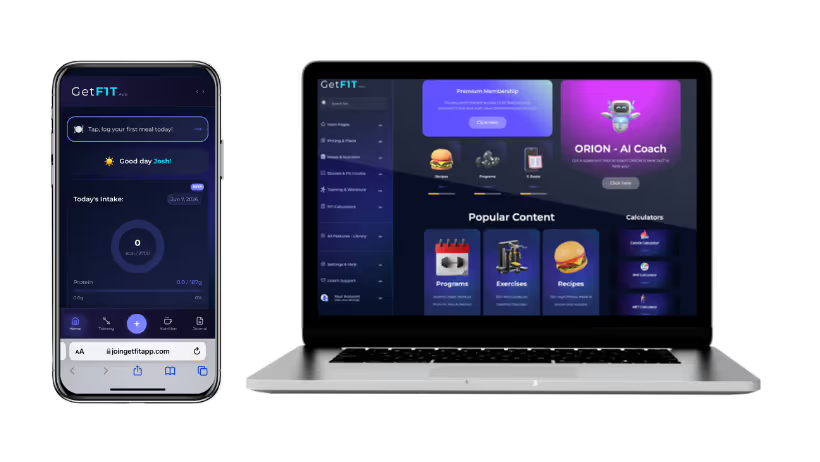
Set calorie and macro goals, track your meals and activity, follow structured workout and meal plans, and monitor your progress over time. GetFIT App brings nutrition tracking, fitness planning, and everyday tools together in one simple membership.

Track Your Calories, Macros, Weight, Workout & Progress with GetFIT App!
Track your daily calories and macros, log your workouts, monitor your weight and measurements, and see your progress over time. GetFIT App puts everything you need to stay on track in one place.

High-Protein Recipes & Meal Plans
Discover hundreds of high-protein recipes, ready-made 4 week meal plans, and healthy meal ideas for weight loss and muscle building. Every recipe includes clear calorie and macro information, so eating for your goals is simple.

Join Thousands of GetFIT App Users Worldwide
Thousands of people around the world have already joined GetFIT App to track their nutrition, follow workout programs, and work toward their fitness goals. Join our growing global community and get the tools you need to manage your fitness journey in one place.














































.png)