How can I create an account on GetFIT App?

How does GetFIT App account creation work?
To start using GetFIT App, you first need to create a personal account. During registration, you provide some basic information and complete a short quiz that helps the platform calculate your recommended daily calorie and macro targets based on your goals.
Once your account is created, you can use the same login details on other devices to access your GetFIT App account. Whether you use a computer, tablet, or smartphone, your information stays connected, allowing you to continue tracking your meals, weight, habits, workouts, and progress.
Why is tracking your nutrition important?
Tracking your daily nutrition helps you better understand your calorie intake and make informed decisions based on your goals. For fat loss, maintaining a consistent calorie deficit is the key factor, while gaining muscle requires enough calories, protein, and a well-structured training routine.
GetFIT App is more than a basic calorie tracker. It combines calorie and macro tracking with additional tools such as 150+ high protein recipes, meal plans, workout plans, guides, and progress tracking features designed to support your transformation.
Here's what you get in GetFIT App!
Lose weight, build muscle, and count calories effectively! Get everything you need in one place to make your lifestyle change easier!
Got more questions about GetFIT App? Learn more on our FAQ and About Us pages. Looking for help with features or how to use GetFIT App? Visit our InfoHub for step-by-step guides, answers, and support articles.
Lose Fat, Gain Muscle with GetFIT App

GetFIT App: Not Just a Calorie Counter — Your Complete Online Body Transformation Membership for Weight Loss & Muscle Building
Why pay for separate programs, apps and courses for calorie tracking, workouts, and meal plans? GetFIT App is an all-in-one web app membership that gives you everything in one place, fully online. Set up your account in seconds and reach your goals faster, with less hassle.
| Feature | GetFIT App 🌟 | Other Calorie Tracker Apps |
|---|---|---|
| Calorie Tracking | Yes | Yes |
| AI Powered Meal Analysis | Yes | No |
| Intermittent Fasting Log | Yes | No |
| Workout Tracking | Yes | No |
| Hundreds of High-Protein Recipes | Yes | No |
| 4-Week Meal Plans | Yes | No |
| 4-Week Workout Plans | Yes | No |
| Body Weight Tracking | Yes | No |
| Water Intake Tracking | Yes | No |
| Body Measurement Tracking | Yes | No |
| Knowledge Library & E-books | Yes | No |
| Progress Tracking | Yes | No |
| Seasonal Winter/Fall Diet Recipes | Yes | No |
| Step Count & Daily Habit Tracking | Yes | No |
| International Recipe Library | Yes | No |
| Diet Shopping Lists | Yes | No |
| Supplement Programs | Yes | No |
| Easy-to-Use Online Platform | Yes | No |
Who Is GetFIT App For?
If you've ever gotten stuck losing weight, had no idea how many calories or how much protein you actually need, or you're just tired of bland, boring diet food — you're not alone. GetFIT App was built for people who want to finally reach their weight loss or muscle-building goals in one place, with a clear system and food they actually enjoy eating. Look through the situations below, and if you recognize yourself, you'll know exactly what to do next.
GetFIT App Is Not a "Magic Pill" — It's a System That Supports You and Gets You to Your Goal!
GetFIT App helps you so you don't have to figure out how to reach your goals on your own. In one place, you'll find everything you need for a mindful lifestyle change: calorie and macro tracking, daily calorie logging, 4-week workout plans, delicious and easy-to-follow recipes, and progress tracking. You won't get quick tricks — you'll get a clear, transparent system that helps you move toward your goal more consistently, whether that's weight loss, muscle building, or a fitter, more sustainable lifestyle.
Fast, Simple Calorie & Macro Tracking
You describe what you ate, and GetFIT App calculates the calories and macros in seconds — no more digging around or doing math in your head. You'll also see exactly how many calories you have left for the day.
Workout Plans & Workout Logging
Effective 4-week workout plans are ready to go, and your workout log helps you stay consistent and track how you progress from session to session.
High-Protein Recipes & Ready-Made Meal Plans
Hundreds of delicious recipes and 4-week meal plans are waiting for you, so you don't have to figure out what to eat every single day.
Body Weight, Measurements & Daily Habit Tracking
All your important numbers in one place, so you can see exactly whether progress is actually happening — not just feel it, but see it.
Progress Tracking
Clear data and charts help you know exactly where you stand, and what's worth adjusting in the weeks ahead.
Knowledge Resources & a Supportive System
You don't just get tools — you get knowledge too, so you understand why you're doing what you're doing, for the long run.
GetFIT App Will Be Perfect for You, If...
If you relate to any of the statements below, GetFIT App is exactly the right fit for you.
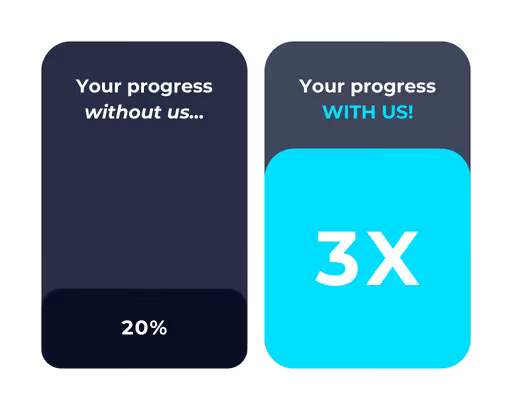

Join Thousands of GetFIT App Users Worldwide
Thousands of people around the world have already joined GetFIT App to track their nutrition, follow workout programs, and work toward their fitness goals. Join our growing global community and get the tools you need to manage your fitness journey in one place.

(További oldalakat, funkciókat a FŐMENÜBEN találhatsz! Tekerj fel és nyomj rá a az oldal tején lévő < > nyilakra! )














































.png)