GetFIT App Workout Log: Track Your Workouts And Progress Faster

What Is The GetFIT App?
The GetFIT App is one of the world’s most comprehensive international fitness apps, designed to give you everything you need for a healthier lifestyle. The platform is now also available in Hungarian.
The app is much more than a simple calorie counter — it is a complete system that combines nutrition planning, workout programs, and progress tracking into one easy-to-use platform.
What Does The GetFIT App Offer?
Detailed Recipe Library
Hundreds of healthy, macro-optimized recipes.
4-Week Meal Plans
Professionally structured nutrition programs for different goals.
4-Week Workout Programs
Structured workout plans for beginners and advanced users alike.
Calorie And Macro Tracker
Track your daily nutrition and stay aligned with your goals.
Weight Tracker
Monitor body weight changes and visualize trends over time.
And Now: Workout Log
The brand-new feature designed to revolutionize workout tracking.
Why Is A Workout Log Important?
Tracking your workouts is essential for long-term progress.
When you see that last week you bench pressed 80 kg for 8 reps, and this week you managed 82.5 kg for the same reps, that is measurable proof of progress.
This data-driven approach separates people who genuinely improve from those who simply “go to the gym.”
Benefits Of Our Workout Log
1. Track Progressive Overload
Progressive overload is one of the most important principles of muscle building.
If you don’t record what you do, you cannot systematically improve.
2. Motivation And Accountability
Seeing green dots on the calendar showing completed workouts motivates you to continue.
3. Identify Patterns
Which exercises are progressing fastest?
Where do you need more focus?
Your data reveals the answers.
4. Long-Term Progress Visibility
You can look back after weeks or months and clearly see your improvement.
How Does The New Workout Log Work?
Accessing the feature is simple — just log into the GetFIT App and start using it immediately.
Switch Between Weekly And Monthly Views
The workout log includes two main viewing modes.
Weekly View
The default mode showing Monday through Sunday.
Perfect for structured training splits like:
- Chest day
- Back day
- Leg day
Monthly View
A full overview of the month to visualize consistency and long-term trends.
You can quickly switch views with one tap and navigate between weeks or months using arrows.
Creating A Workout Day – Step By Step
1. Select A Date
Click on the desired date in the calendar.
The current day is highlighted with a special “Today” badge.
2. Create A New Workout Day
After selecting a date, click the “Create Workout Day” button.
You can add:
- Workout name
- Daily notes
- Comments about energy, mood, or performance
Examples:
- “Chest And Triceps”
- “Leg Workout”
- “Great pump today”
- “Felt tired but finished strong”
Smart Workout Logging
One of the best new features is the intelligent autocomplete system.
As you type your workout day name, suggestions automatically appear:
Preloaded Workout Types
- Chest Day
- Back Day
- Arm Day
- Leg Day
- Shoulder Day
- Push Day
- Pull Day
- Full Body
- Cardio Day
Your Previous Workout Names
If you previously logged “Chest And Biceps,” it will appear again automatically.
Smart Filtering
The more you type, the more refined the suggestions become.
This saves a huge amount of time.
Adding Exercises To Your Workout Day
After creating your workout day, you can start adding exercises.
3. Add An Exercise
Click “Add Exercise” and enter the details.
Exercise Name
The app includes autocomplete with over 100 preloaded exercises.
Chest Exercises
- Bench Press
- Incline Bench Press
- Chest Fly
- Push-Up
- Dips
Back Exercises
- Pull-Up
- Barbell Row
- Lat Pulldown
- T-Bar Row
Shoulder Exercises
- Shoulder Press
- Lateral Raise
- Arnold Press
- Face Pull
Arm Exercises
- Bicep Curl
- Skull Crushers
- Hammer Curl
- Tricep Pushdown
Leg Exercises
- Squat
- Leg Curl
- Leg Press
- Lunges
- Calf Raise
Core Exercises
- Sit-Ups
- Plank
- Leg Raise
- Russian Twists
Cardio Exercises
- Running
- Cycling
- Rowing Machine
- Burpees
Your previously recorded exercises also appear automatically.
Workout Details You Can Record
Sets
How many sets you completed.
Repetitions
Reps per set.
Maximum Weight (kg)
The heaviest weight used — crucial for progression tracking.
Calories Burned (Optional)
Estimated calories burned.
Duration (Optional)
How much time you spent on the exercise.
Notes
Any extra details:
- “Last set was difficult”
- “New PR”
- “Excellent form today”
Add Multiple Exercises
A workout day usually contains multiple exercises.
There is no limit — add:
- 3 exercises
- 5 exercises
- 10 exercises
Everything appears clearly organized inside separate workout cards.
View And Edit Your Workouts
Visual Calendar Feedback
Once workouts are logged, the calendar provides visual indicators.
- Green dot = workout completed
- Blue highlight = selected day
- “Today” badge = current date
This instantly shows your consistency.
Detailed Workout View
Clicking a recorded workout day shows:
- Workout name
- Date
- Daily notes
- Exercise cards with detailed information
Each exercise card displays:
- Sets
- Reps
- Weight
- Optional calorie and time data
- Exercise-specific notes
Edit Or Delete Workouts
Made a mistake?
Every workout and exercise includes:
- Edit button
- Delete button
You can quickly update or remove entries anytime.
Why Should You Try It Now?
Beta Version – Help Shape The Future
This feature was introduced only recently and is currently in beta.
That means:
- Continuous improvements
- New features arriving regularly
- Your feedback matters
You are among the first users testing this new system.
Perfect Together With Workout Programs
The GetFIT App already included structured 4-week workout programs.
Now you can finally track:
- What you actually completed
- Which lifts improve fastest
- How your strength changes over time
This allows true progressive overload planning.
Integrated With Weight Tracking And Calorie Tracking
Imagine seeing:
- Your body weight increased by 2 kg over the month
- Your squat increased by 10 kg
- Your calories remained controlled
This gives you a complete picture of your progress.
How To Get Started
1. Register Or Log In
Create your account inside the GetFIT App.
2. Activate Premium Membership
The workout log feature is included in the Premium Membership.
New users may receive a free trial period.
3. Start Logging Your Workouts
You can record your first workout today in just a few minutes.
4. Stay Consistent
The real magic happens when you see weeks of green dots and steadily increasing weights.
That feedback loop keeps motivation high.
Final Thoughts
The Workout Log is a major step forward for the GetFIT App.
Now everything exists in one place:
- Meal planning
- Recipes
- Calorie and macro tracking
- Weight tracking
- Structured workout plans
- Detailed workout logging
And this is only the beginning.
As a beta feature, we are actively listening to user feedback and continuously improving the experience.
Don’t Wait For The Perfect Moment
The best time to start tracking your progress is now.
You do not need to wait for:
- Monday
- A new month
- A new year
Start today.
Ready To Transform Your Fitness Journey?
Join the GetFIT App and start your free trial today.
Track your workouts intelligently, monitor your progress, and achieve your goals with a system designed to help you improve consistently.
Got more questions about GetFIT App? Learn more on our FAQ and About Us pages. Looking for help with features or how to use GetFIT App? Visit our InfoHub for step-by-step guides, answers, and support articles.
Lose Fat, Gain Muscle with GetFIT App

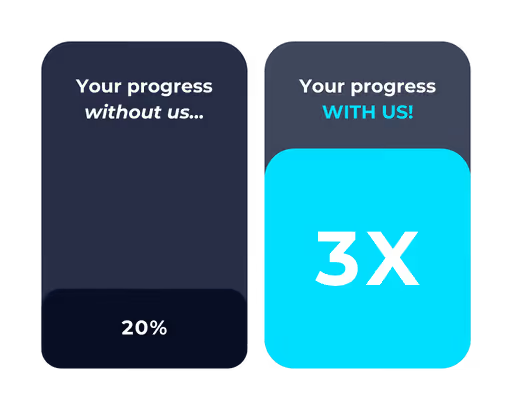

Join Thousands of GetFIT App Users Worldwide
Thousands of people around the world have already joined GetFIT App to track their nutrition, follow workout programs, and work toward their fitness goals. Join our growing global community and get the tools you need to manage your fitness journey in one place.














































.png)